


Seamless Daily Sync of Investment Data into Cloven
Connect your Investia account to Cloven and sync investment data—updated automatically each day. Keep client records up to date with cash balances, portfolio values, and account details, all in one place.
Can I See My Clients’ Investments in my CRM?
- Book Value, Market Value and Cash Balance by Account
- Account Type (TFSA, RRSP, etc.) to calculate balances
- Auto-link and de-duplication of related Contacts
- Automatically updated on a daily basis
Step #1
Contact Investia to Get Your “Client Secret”
The “Client Secret” is a special token generated by the Investia team that gives the holder permission to access your data. This will be used to authenticate the connection.
Reach out to Investia at investia@investia.ca and let them know:
- That you are connecting to Cloven and
- The list of Rep codes they have set up with Investia

Step #2
Connect Cloven to Investia with the Client Secret
Once Investia is contacted, they will reach out to confirm your Rep Codes and that you’d like to integrate (this is for security). This can take 4-6 weeks.
Once verified, they will provide your Client ID and Client Secret. Please share this with the Cloven team to complete the connection.
P.S. If this part seems confusing- don’t worry- we’ll walk you through this part step by step.
Step #3
View Daily and Historical Market Values in Cloven
Once the sync is set up, Cloven will automatically update each client’s investment market values every day.
The best part? With Cloven’s Timeline feature, you can easily track the historical performance of your clients’ investments—giving you valuable context at a glance.

Step #4
Automatically Notify Clients About Their Portfolio
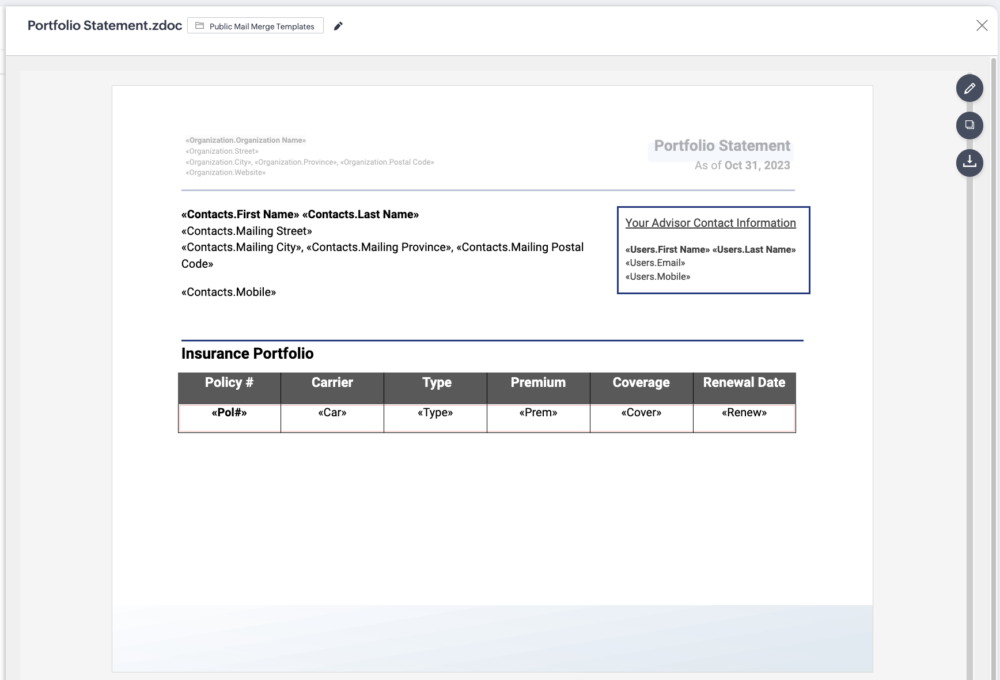
Generate a shareable snapshot of your clients’ portfolio performance using Cloven’s Portfolio Summary report.
Set it on autopilot to send these reports on a recurring schedule—keeping your clients informed and engaged without the manual effort.
Step #5
Find New Opportunities with the AI Investment Bot
- Cash Balance- Flag accounts with high cash balance
- VIP Clients– Mark “VIP” clients based on net worth
- RRIF conversions- Identify older clients with an RRSP, but no RRIF!
- RRSP Season- Flag RRSP clients, and prioritize outreach based on net worth
- Optimize TFSA- Find clients with an unreg. account and potential TFSA room

Here’s Why Teams in Canada Are Using Cloven

“I’ve had the pleasure of working with Massimo and his team at Cloven, and I can confidently say that their CRM software is by far the best in our industry.”
Jake Sheehan, Life Design Systems

“Cloven has been a game changer for our business…we used another provider the past 10 years, and have received more from Cloven in the first 6 months than from the previous provider over the 10 years.”
Adam Bornn, Managing Partner, Parallel Wealth

“Through working with the Cloven team, I’ve been able to automate key customer touchpoints. Not only has this saved me time, but it’s led to countless upsell opportunities.”
Cory Greenspan, President, Rockfield Financial

“With Cloven, I can be confident that I’m following up with each client appropriately and no-one is falling through the cracks. It provides the system to allow us to scale our business.”
Austin Wassink, Principal Advisor, Hometown Life Insurance
Want to ask specific questions?
If you have any questions about the Investia integration, we'd love to connect! Let's find a time to chat:
Book a demo